
For traditional martial arts schools
One system for the whole dojo.
From workshops, courses and seminars to black belt, without spreadsheets, multiple apps or forms.
- Classes and the roll
- Courses and seminars
- Families
- Gradings
- Waivers
- Dojo hire
Every feature on every plan · 0% of your members' payments · Free for small dojos
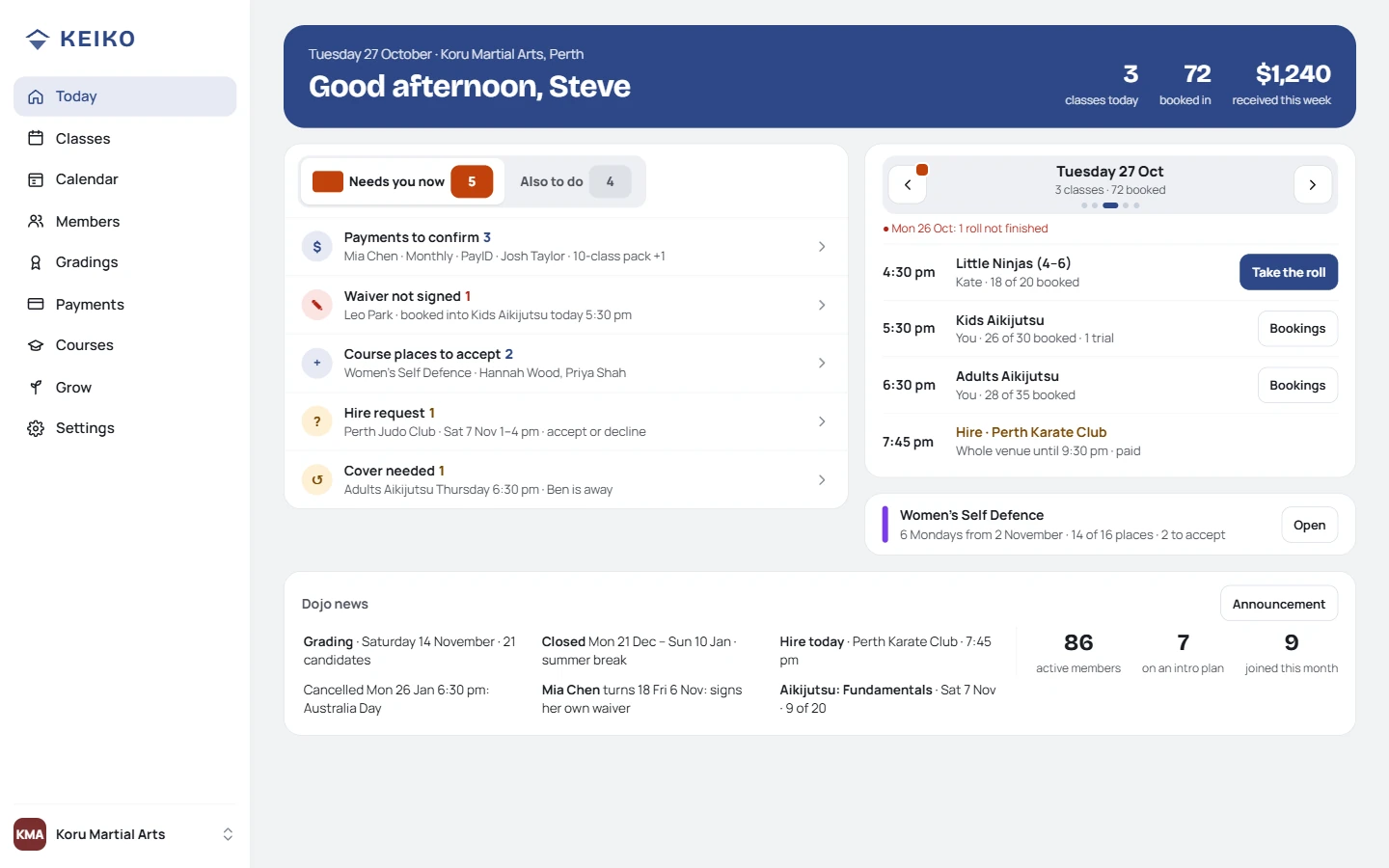
At home or at work
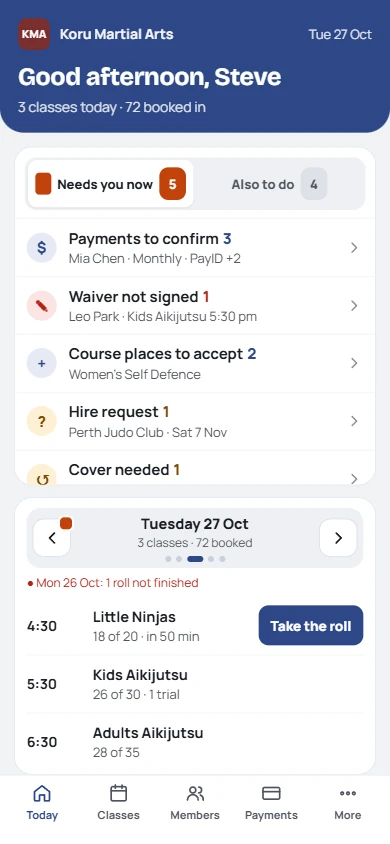
At the dojo
The problem
Your dojo shouldn't feel like a collection of apps.
Registrations in one place, payments in another, waivers in a folder, attendance in a book. You've become the glue. Keiko replaces it.
A dojo's day
A Tuesday at Koru Martial Arts.
Run around a full-time job, like most dojos. This is what a weekday looks like now.
- 7 am
Nothing urgent.
Today shows one course registration overnight. You didn't answer a single message.
Nothing urgentWomen's Self Defence · 1 new
- 12 pm
Members sort themselves out.
Kate renewed her pack on her phone. Sam's mum booked both kids into Saturday.
Kate · 10 classes · I've paid
- 5 pm
Take the roll.
Tap names. Health notes and unsigned waivers show by the name, before anyone steps on the mat.
Leo · waiver to signMia · asthma
- 6 pm
Two mats, no clashes.
Juniors on Mat 1, adults on Mat 2, a private lesson in the small room.
Mat 1 · JuniorsMat 2 · Adults
- 9 pm
Evenings back.
Payments matched, grading list ready, Needs you now empty. Go home.
All done
Run your classes
Plan the week at your desk. Take the roll on the mat.
- Week at a glance: how full each class is, and what needs you: a roll not finished, a cover, a waitlist
- Instructors take the roll: on their own phone, after a PIN. Heads up, All here, add a walk-in
- Who cancelled today, and when, in your dojo's time. Running late shows on the roll
- Today: what needs you now, and five class days to step through
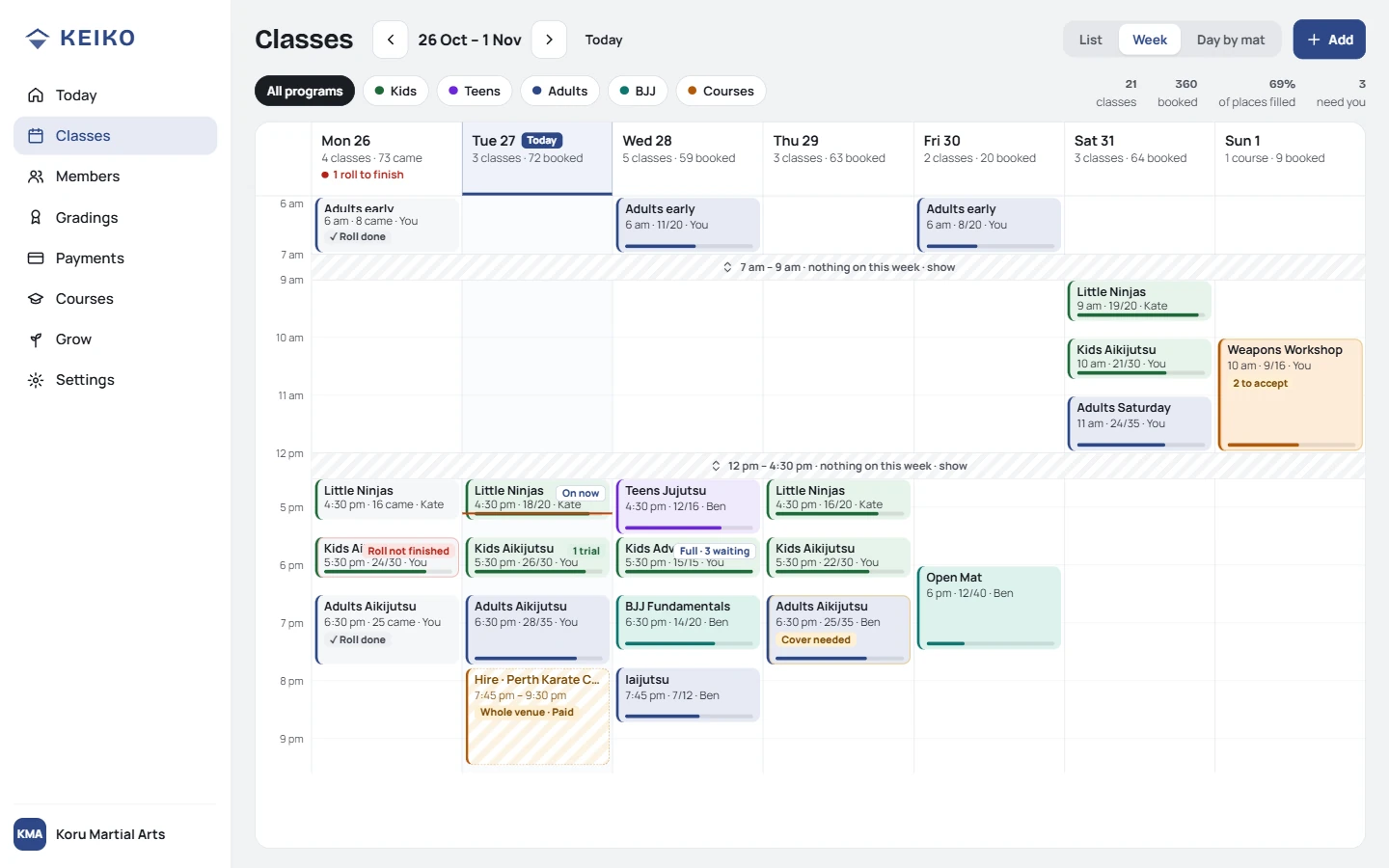
The week, on your computer
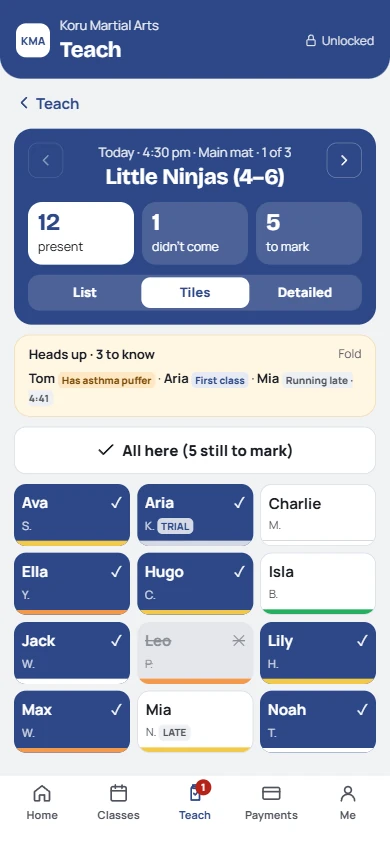
The roll, on an instructor's phone
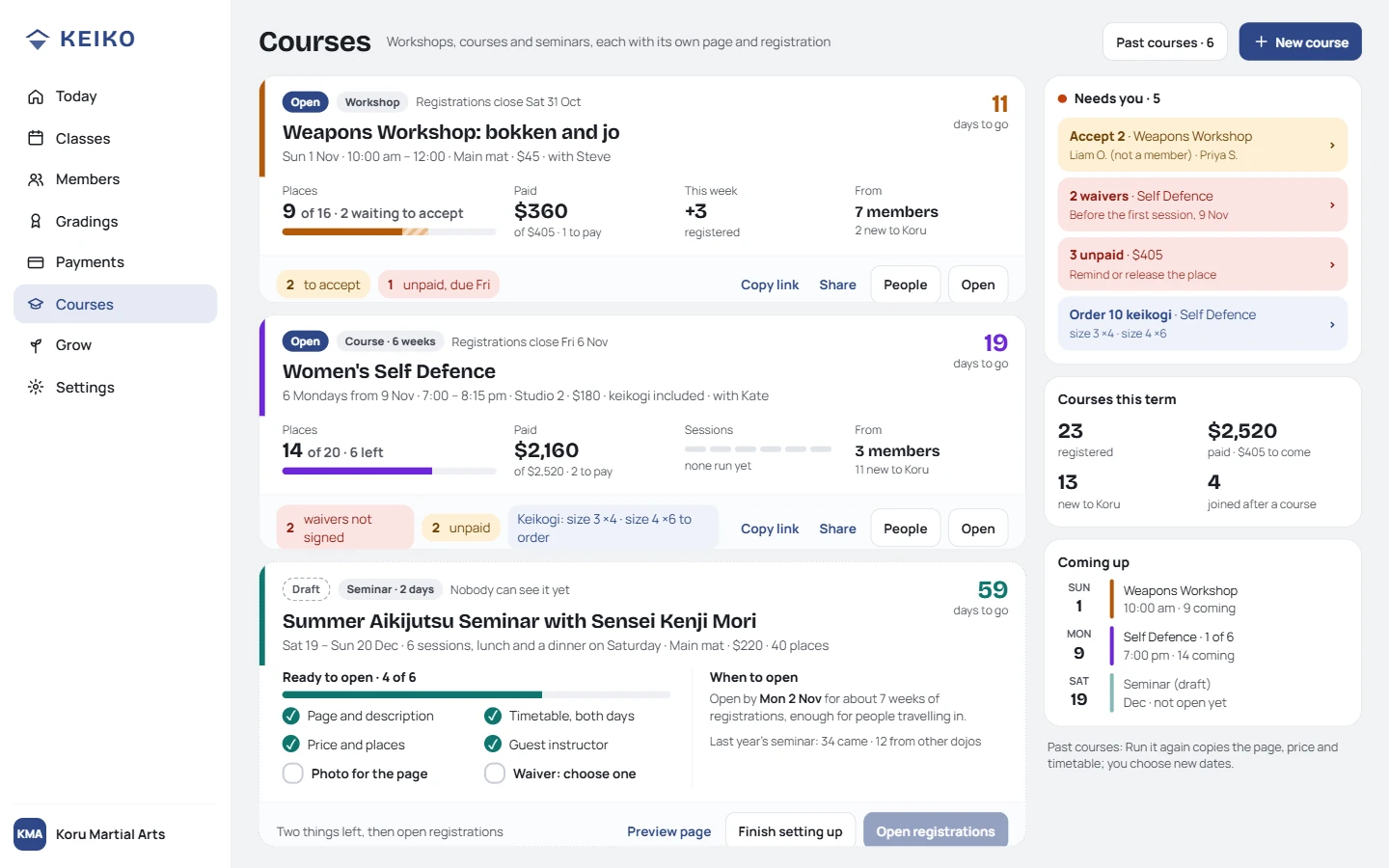
Every course at a glance
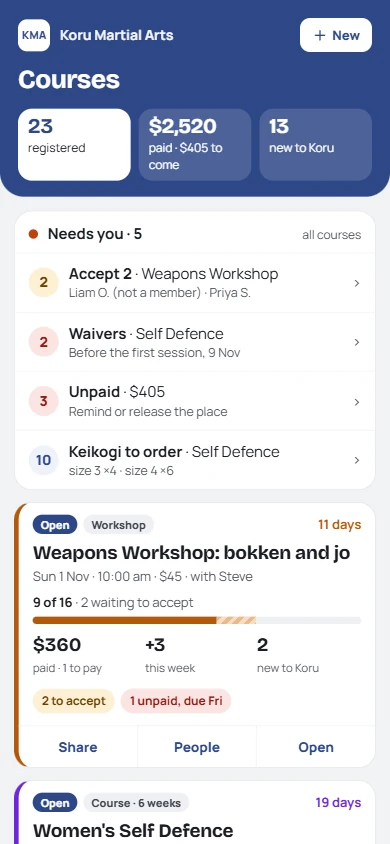
And on your phone
Run your courses and events
The course is your front door.
Most students start with a workshop or a beginner course. Plan it, publish it, fill it, run it, then turn them into members.
- Workshops, courses and seminars, each with its own page to share
- How each one is selling: places, paid, new to your dojo
- What needs you: registrations to accept, waivers, unpaid, keikogi to order
- Drafts get a checklist, so nothing's missing when you open it
Families and members
One tap to book. A whole family on one page.
- One page per family: a name tag per child, one tap to book or cancel
- No app, no password: saved to their home screen, it's your dojo's own app
- Always positive: weeks in a row and best month. Never what they missed
- Waitlist and late cancels, the way you set them
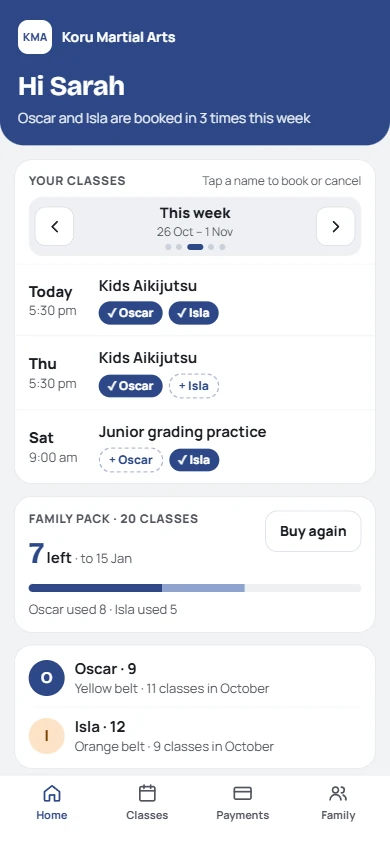
A parent of two
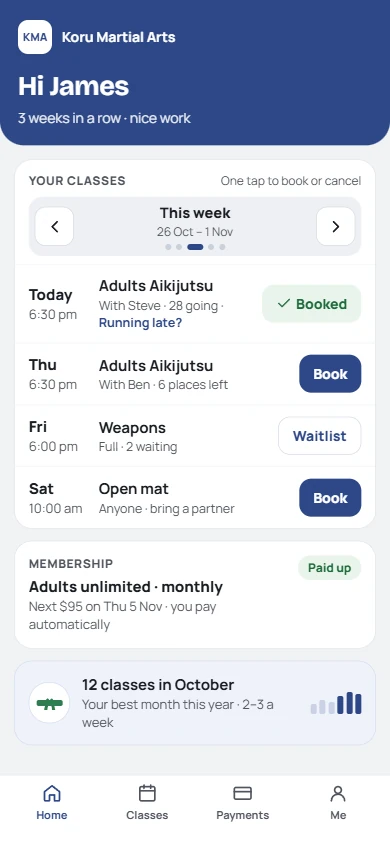
An adult member
Run your space
Hire out your dojo when you're not using it.
Your quiet hours, a page for hirers, insurance and invoices: on the same calendar as your classes, so nothing's double-booked.
- Your hours, your rates: set the spaces you hire out, when, and the hourly and regular-hirer rates. Free time shows on the same calendar as your classes.
- Their own page: hirers ask for a time from your hire page, or book straight away once you trust them. You accept or decline in one tap.
- Paperwork done first: they sign your hire agreement and add their insurance before they book. The passcode or key only shows once access is arranged.
- Invoices that send themselves: weekly, fortnightly or monthly for regular hirers, with late cancellations charged by your rules.
Pricing
Pay for the size of your dojo, not for features.
Every feature on every plan. 0% of your members' payments: they pay you, straight into your account.
Free
$0
up to 15 active members
2 courses a year, up to 20 places
Club
$39
a month · up to 49 members
Unlimited courses
Academy
$79
a month · unlimited members
Unlimited courses
Franchise or organisation model
Your own platform for your organisation.
For a style or franchise with many dojos (say 18 or more): a separate copy of Keiko, in your name and colours, customised to how your organisation runs, kept apart from everyone else. Let's talk.
Made by a dojocho
Built in a real dojo, for real dojos.
“I built Keiko because wherever I train, and wherever I visit, I see the same thing: a dojocho dealing with disparate systems instead of being on the mat. I built it to take on the tasks a dojocho shouldn't have to do. A dojocho belongs in front of people, not a computer.”
Questions
Before you start.
- Can I bring my members across?
- Yes. Import a spreadsheet, or add them one by one. Families link up as you go.
- How do members book?
- From their own page, with one tap: Book, or tap Booked to cancel. A parent taps each child's name. Full classes have a waitlist, and you set how far ahead they can book and when cancelling is late.
- Do you track attendance?
- Every class, from the roll on your phone. Members see their own training, always positive: weeks in a row, their best month, a welcome back. Never what they missed.
- How do members pay?
- Into your account by bank transfer, PayID or your own payment link. They tap I've paid; you confirm. We take 0%.
- Can people buy gift certificates?
- Yes. Your gift page sells a course (even before its dates are set), a class pack or an amount, paid straight to you. The certificate comes in five designs with a PDF to print, and a course gift has a QR code to its own page. Gifts are valid for 3 years and can be used on anything.
- Is my members' data safe?
- Each dojo's data is kept separate. Waivers and health notes are private to you and your instructors.
- Can I cancel any time?
- Yes, monthly, no contract. Download your data whenever you like.
- Does it suit my style?
- Karate, jujutsu, aikido, kendo, kung fu… your grades, your syllabus, your words.
Get your evenings back.
Takes 10 minutes. No card needed.
Train at a dojo rather than run one? Send this to your sensei